Publishing is not just pressing a button. It transfers a specific version to the environment users will see. Use a preview or staging environment first when available. Do not test risky integrations or real data with production users.
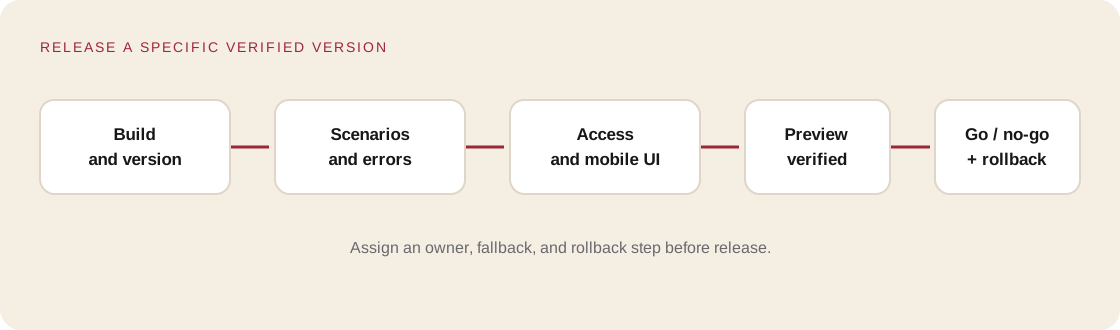
Before publishing
- Save the exact source checkpoint.
- Confirm the build succeeds and the required route loads.
- Check the preview against the acceptance criteria, especially form behavior and mobile layout.
- Check that server secrets are not in the browser bundle.
- Confirm that only intentionally public data is accessible.
- Record the version URL and how to restore the previous one.
The Vercel deployments documentation describes deployments and preview URLs. Other platforms use different labels, but the principle is the same: inspect a candidate before switching users to it.
| Area | Go/no-go question |
|---|---|
| Build | Can this release be recreated from the saved version? |
| Journey | Does the user reach a truthful confirmation? |
| Secrets | Are server keys absent from browser code and Git? |
| Data | Can one user read another user’s record? |
| Errors | Is there a safe fallback when an API fails? |
| Rollback | Who restores the old version, and how? |
| Ownership | Who receives a report if the site breaks? |
Unknown answers are tasks, not invitations to guess. Do not publish real requests until data storage, access, and ownership are reviewed.
Practice
- Complete the release checklist.
- Publish a preview if your environment supports one.
- Repeat at least five acceptance checks on that URL.
- Record the URL, commit/version, and rollback instructions.
- Ask someone who did not build it to complete the main journey.
Save: RELEASE-NOTES.md, preview URL, and a verified rollback path.
Self-check
- Can you identify which source produced the published version?
- Is there an owner and an action for rollback?
- Does the app claim success only after the server confirms it?