A vertical slice is a small but end-to-end part of a product. Here it is not just “build a form”; it is choose a service → enter contact details → send them to a test handler → show the real success or error state.
It helps to know the four layers an AI tool might change: HTML describes page elements, CSS their layout and appearance, browser JavaScript their behavior, and the server/backend validates and stores data. Never put secrets in browser JavaScript; visitors can inspect it.
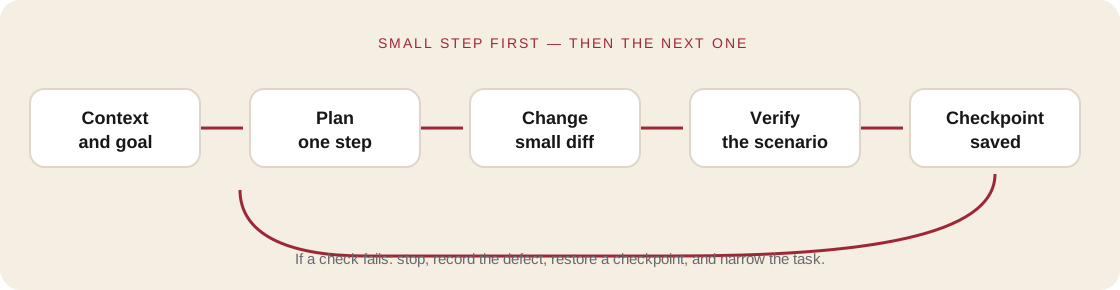
Build one layer at a time
- Show the form. Check the heading, fields, and button at phone width.
- Validate locally. Missing name or contact should stop submission and explain what to fix.
- Connect a test handler. A mock can return success or a selected error for now.
- Show three states: submitting, accepted, and server did not respond.
- Run the journey manually and compare it with the criteria from Module 1.
- Save a checkpoint only after checking the result.
Ask the agent to change one layer at a time and preserve decisions already accepted. Review the screen and diff after each change. A screenshot shows appearance; it does not prove that data was sent.
| Event | The interface should | It should not |
|---|---|---|
| Required field is empty | Identify the field to fix | Send a request and clear the form |
| Request is in progress | Show status and prevent duplicate submit | Create duplicate requests |
| Request succeeds | Show confirmation | Claim success before the server responds |
| Server returns an error | Preserve input and allow retry | Reveal an internal stack trace |
Practice
- Use the vertical-slice work log: step, changed files, and verification result.
- Build only the journey in your brief.
- Check three states at phone and desktop widths.
- Ask someone else to try it without your help.
- Record one defect and fix it as a separate small task.
Save: a working vertical slice and its change log. It is done when a user can complete the journey and gets a truthful result.
Self-check
- Does the app return real data or is this still a mock?
- What does the user see while loading and when a request fails?
- Can you undo the last change?