Choosing a tool also means choosing where the project lives and who can change it. Do not choose only by an impressive demo or feature list. Try a small journey from your brief: can the tool build the screen, save the source, fix an error, and show how the project runs?
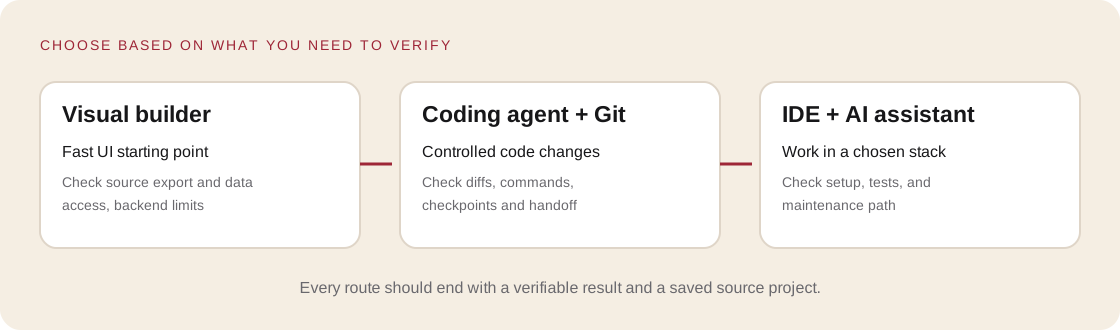
Three useful routes
| Route | Fits when | Check before starting |
|---|---|---|
| Visual app builder | You need a first UI and data flow without configuring a local setup | Source export/sync, server-side limits, data permissions, domain, portability |
| AI IDE or coding agent in a repository | You need control over code, integrations, tests, and future changes | Visible diffs, Git checkpoints, project instructions, commands and tests |
| Regular editor plus AI assistant | You already have a stack or a developer to help with architecture | Environment compatibility, version control, handoff to another person |
A visual builder does not make a project secure by itself. A coding agent does not make it high quality by itself. A person still verifies the result.
A 20-minute decision
Score each route from 1 to 3: 1 is a blocking risk, 2 is acceptable, 3 is a good fit.
| Criterion | Question |
|---|---|
| User journey | Can the environment support the specific journey in your brief? |
| Data | Do you know where records live and who can access them? |
| Portability | Can you export or synchronize the source? |
| Verification | Can you inspect changed files, errors, and build status? |
| Maintenance | Could you or another specialist continue next month? |
Do not let a high total hide a score of 1 on a critical requirement. Remove that risk or choose another route first.
No coding setup yet? Start with a browser-based builder such as Replit or Lovable, then learn where the source lives, how to connect GitHub, and how to roll back.
Already have a website folder or Git repository? Open its root in a coding tool such as OpenAI Codex, Claude Code, or Cursor. First ask the tool to explain the project and propose a plan; do not ask it to rebuild the site from a screenshot.
Make/n8n-style automation tools play a different role: they connect events and services. They do not replace the code editor, saved source, or permission checks.
Test the tool before a real project
Ask it to create a blank screen with a heading, two fields, and an error state. Then ask it to change only the error text. Check whether it shows changed files, lets you preview a phone-width layout, and has a clear way to undo the change. Confirm which files are the source and which are published output.
Interfaces and features change, so verify current details in the chosen vendor’s official documentation. A short hands-on check is stronger evidence than a marketing feature list.
Practice
- Fill in the environment decision matrix.
- Choose one route and note why the others do not fit yet.
- Run the small test above in a disposable project.
- Find the source project again after closing the editor.
- Record how to make a backup or Git checkpoint.
Save: TOOL-DECISION.md, the chosen environment, its limitations, and a recovery plan.
Self-check
- Can I get my code and data back?
- Do I know what survives after the current session?
- What will I do if the next AI change breaks the page?